

Design by you,printed in the USA.

On matte finish & square corners.
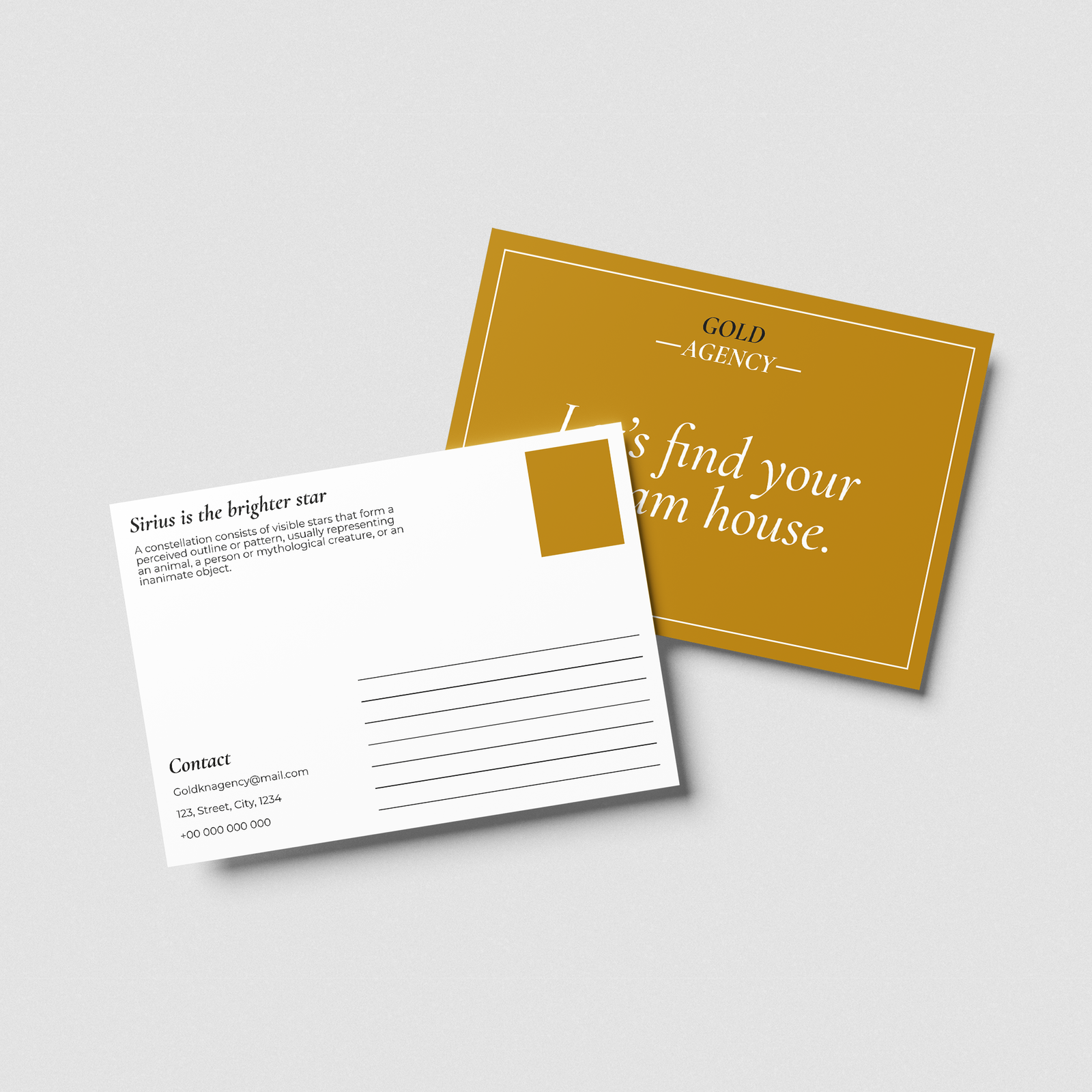
Half Page Postcards
5.5" x 8.5" – in your choice of 3 paper stocks
25 cards from 34.00
Half a page, double the fun
- A bigger canvas to showcase your brand.
- Double-sided, full color Half Page Postcards.
- Up to 25 different designs on each Half Page Postcard for FREE.
- 5.5" x 8.5" In your choice of 3 high quality paper stocks.
- Available with a Gold or Silver Foil finish.
Choose your Paper

Original

Super

Luxe

Cotton
Choose your Finish

Matte
With a smooth feel. Shine-free so no glare.

Gloss
Eye-catchingly shiny. Makes color photos pop.
Choose your Coating

Coated on the back only
The front will be uncoated – you’ll be able to write on it with a pen.

Coated on both sides
This means you won’t be able to write on your postcards with a pen.
Choose your quantity
| Quantity | Price per card | Pack price |
|---|---|---|
| 25 | ₹1.36 | ₹34.00 |
| 50 | ₹1.16 | ₹58.00
|
| 100 | ₹1.00 | ₹100.00
|
For more pricing info, see our Shipping and Cost Calculator.

Print a different design on every card, for FREE.
Take your brand to the next level
Get design support & exclusive discounts, perfect for those big Business Card orders. From just $99 a year, email support@mypaperprint.com or call +1 (555) 123-4567 to get started.
Summary
| Paper | - |
| Finish | - |
| Coating | - |
| Quantity | 200 |
| Price Per Item | ₹20 |
| Price | ₹74.00 ₹88.00 |
Half Page Postcards Design Guidelines
- Standard Size
- Rectangle Size
- Square
Tab 1
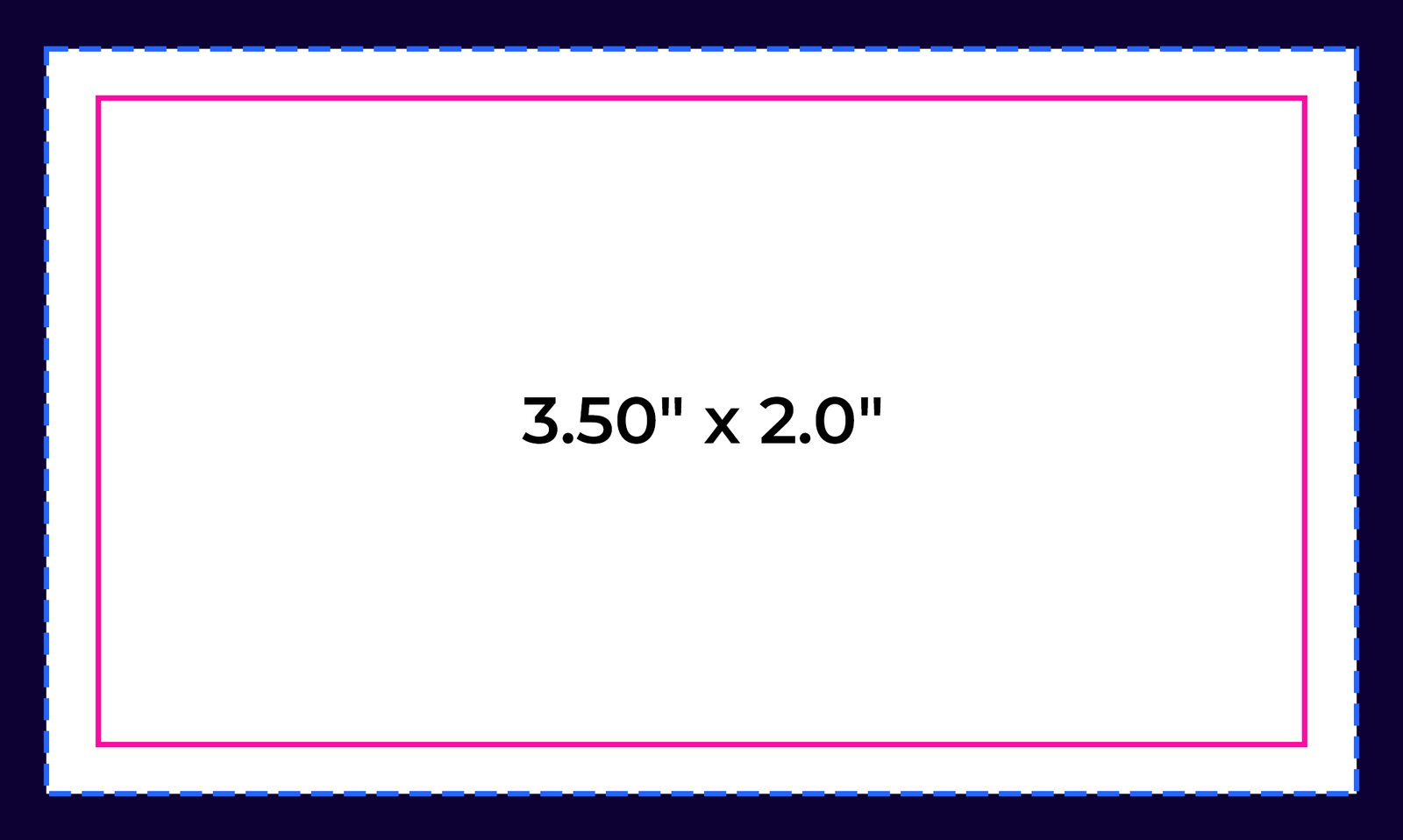

Bleed Area: 3.66" x 2.16"
Make sure that your background extends to fill the bleed to avoid your Business Cards having white edges when trimmed.
Trim: 3.50" x 2.0"
This is where we aim to cut your cards.
Safe Area: 3.34" x 1.84"
Make sure any important aspects of your design such as text and logos are inside of the safe area, otherwise they may be cut off.
psd
Photoshop
psd
Illustrator
psd
InDesign
psd
Jpeg
Tab 2
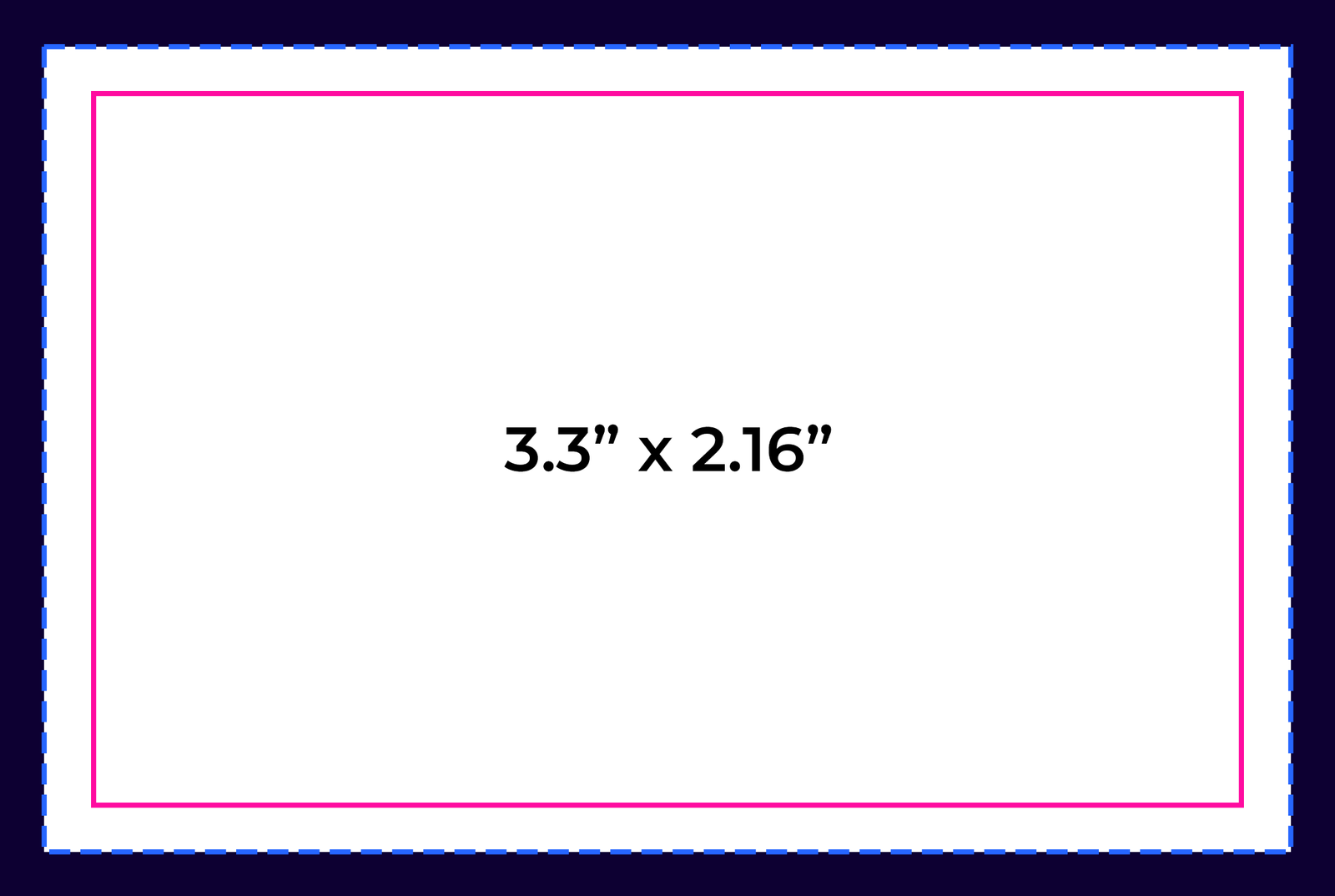
Bleed Area: 3.46” x 2.32”
Make sure that your background extends to fill the bleed to avoid your Business Cards having white edges when trimmed.
Trim: 3.3” x 2.16”
This is where we aim to cut your cards.
Safe Area: 3.14” x 2”
Make sure any important aspects of your design such as text and logos are inside of the safe area, otherwise they may be cut off.
psd
Photoshop
psd
Illustrator
psd
InDesign
psd
Jpeg
Tab 3
.png)
Bleed Area: 2.71" x 2.71"
Make sure that your background extends to fill the bleed to avoid your Business Cards having white edges when trimmed.
Trim: 2.56” x 2.56”
This is where we aim to cut your cards.
Safe Area: 2.4" x 2.4"
Make sure any important aspects of your design such as text and logos are inside of the safe area, otherwise they may be cut off.
psd
Photoshop
psd
Illustrator
psd
InDesign
psd
Jpeg

psd
Photoshop

ai
Illustrator

ind
InDesign

jpg
Jpeg
Popular Products
These are tried and true favorites that will have you set to get down to business.